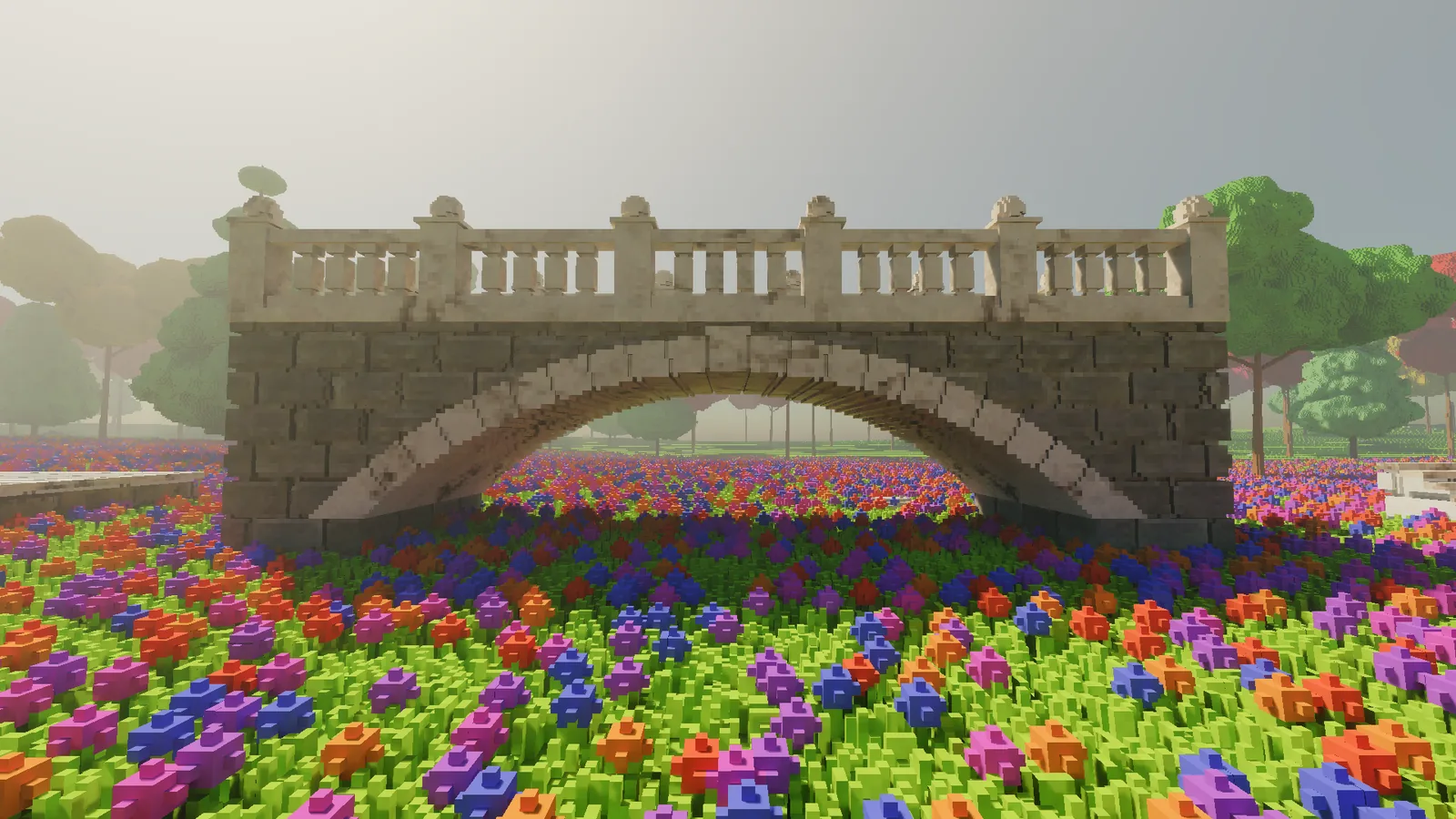
Voxel worlds have a lovely property: everything is made of stuff. The mountain is not a hollow shell with a nice texture on it. If you want to dig a hole, you dig a hole.
The catch is that stuff takes up space. Make the voxels smaller and the amount of it gets out of hand very quickly, and that, far more than anything to do with looks, is the real difficulty with voxels. Plenty of voxel games and engines already look wonderful. The hard part is the data: storing it, getting it to the GPU, drawing it at a distance, and changing it while someone is standing in it.
I have chosen to make that problem as bad as I reasonably could. My voxels are 5 cm on a side, and every one of them can be dug out, placed or painted. This entry is a tour of how that is going, with a little code along the way. Every image here is a real-time frame from the engine, with no paintovers and no offline renders.
Why small voxels are hard
Five centimetres is twenty times finer on each axis than the familiar one-metre block. A single cubic metre of dirt is 8,000 voxels. A blade of grass is one voxel wide. A flower is a few dozen.
Now scale up. My test world is a patch of ground about 200 metres square, which at 5 cm is sixteen million columns before you count a single voxel of height. Give it a few tens of metres of hills and trees and you are into billions of cells. Store them all naively and you run out of memory, then out of patience, then out of both at once.
And it all has to stay editable. An edit cannot wait for a loading screen or a rebuild of the world. It has to land inside a single frame, without a hitch, without a hole appearing in the ground, and it has to look right from eighty metres away as well as from up close.
How I attack it
At a high level, the answer is to store as little as possible and to touch only what changes.
- One byte per voxel. Each voxel is an index into a material table. Colour, roughness and whether something glows live in the table, not in the voxel.
- Sparse bricks. The world is cut into bricks of 8 x 8 x 8 voxels, and a brick only exists where there is something in it. Empty sky costs nothing.
- Rays straight into the bricks. There is no mesh pretending to be the world. The GPU's ray tracing hardware walks the bricks directly, so what you see is exactly what is stored, down to the last voxel.
- Coarser rings at distance. Up to 50 metres out the world is drawn at the full 5 cm, then at 10 cm to 100 metres, then at 20 cm beyond that. At two hundred metres a 20 cm voxel is about one pixel wide at 1080p, so the detail you give up is detail you could not see, and the savings are large.
- Edits rebuild only what they touch. A carve or a placement updates the bricks it overlaps and nothing else. On a warm engine a typical click costs its frame two to three milliseconds.
Here is what that adds up to in my current test world, a forest glade generated from a seed:
| Current test world | |
|---|---|
| Bricks at full resolution (5 cm) | about 1.22 million |
| Bricks at 10 cm and 20 cm | about 180,000 and 40,000 |
| Voxel data in system memory | about 760 MB |
| Everything on the GPU (voxels plus ray tracing structures, not counting images) | about 1.4 GB |
| Generation time | about 18 seconds |
About three quarters of those full-resolution bricks are grass and flowers, which tells you something about meadows.
Sparse bricks, in code
The idea behind sparse bricks is old and simple, and it fits in a few lines:
// A sparse voxel world: 8x8x8 bricks, stored only where something exists.
const int B = 8;

sealed class Brick
{
    public readonly byte[] Voxels = new byte[B * B * B];   // 512 bytes, 0 = air
}

sealed class World
{
    readonly Dictionary<Int3, Brick> bricks = new();       // brick coordinate -> brick
    readonly HashSet<Int3> changed = new();                 // bricks to upload next frame

    public byte Get(Int3 v)
    {
        var key = FloorDiv(v, B);                           // which brick holds this voxel
        if (!bricks.TryGetValue(key, out var brick)) return 0;   // no brick: it is air
        var p = v - key * B;                                // position inside the brick
        return brick.Voxels[p.X + B * (p.Y + B * p.Z)];
    }

    public void Set(Int3 v, byte material)
    {
        var key = FloorDiv(v, B);
        if (!bricks.TryGetValue(key, out var brick))
        {
            if (material == 0) return;                      // air into nothing: nothing to do
            bricks[key] = brick = new Brick();
        }
        var p = v - key * B;
        brick.Voxels[p.X + B * (p.Y + B * p.Z)] = material;
        changed.Add(key);                                   // only this brick goes to the GPU
    }
}
Two things fall out of this for free. Empty space costs nothing, because a missing brick means air. And an edit only ever touches the handful of bricks it overlaps, so only those need sending to the GPU. That second property is what lets a carve land within a single frame.
Walking a ray through voxels
Once the ray tracing hardware has found which brick a ray enters, something has to walk through the voxels inside it until it hits a solid one. The classic way to do that was published by John Amanatides and Andrew Woo in 1987, and it is still widely used. The trick is to step from cell to cell, always crossing whichever cell boundary the ray reaches next.
// Amanatides-Woo voxel traversal (GLSL-style).
ivec3 cell   = ivec3(floor(origin));
ivec3 stp    = ivec3(sign(dir));
vec3  tDelta = abs(1.0 / dir);          // ray length to cross one whole cell, per axis
vec3  tMax   = (vec3(cell) + max(vec3(stp), 0.0) - origin) / dir;  // to the first boundary

for (int i = 0; i < MAX_STEPS; i++) {
    if (voxelAt(cell) != AIR) return hit(cell);
    // Step along whichever axis reaches its next boundary first.
    if (tMax.x < tMax.y && tMax.x < tMax.z) { cell.x += stp.x; tMax.x += tDelta.x; }
    else if (tMax.y < tMax.z)               { cell.y += stp.y; tMax.y += tDelta.y; }
    else                                    { cell.z += stp.z; tMax.z += tDelta.z; }
}
return miss();
tMax holds how far along the ray the next boundary is on each axis, and tDelta how far apart the boundaries are. Each step is one comparison and one addition, which is why this is fast. That MAX_STEPS line is worth remembering: a loop with a budget will one day run out of budget, and you will meet one of mine in a moment.
And then the light
With the data under control, the fun part: the light is path traced, every frame. Sunlight and a physically based sky land on each surface, bounce around once more, filter through thin leaves, scatter in the air and pick up anything that glows. A real-time budget only buys about one sample per pixel, which on its own looks like a photo taken through a sandstorm, so a denoiser from the SVGF family cleans it up. AgX tone mapping finishes the frame.
The first half of that denoiser is an idea called temporal accumulation, and it is simple enough to show. The camera barely moves between frames, so most of what a pixel shows this frame, it also showed last frame. Work out where this point was on screen a frame ago, fetch what was computed there, and blend:
// Temporal accumulation with reprojection (GLSL-style).
vec2 prevUV  = reproject(worldPos, prevViewProj);   // where was this point last frame?
vec3 history = texture(prevFrame, prevUV).rgb;

// Only trust the history if it shows the same surface.
bool valid = onScreen(prevUV) && sameSurface(prevUV, depth, normal);

float alpha  = valid ? 0.1 : 1.0;                   // mostly history, or start again
vec3  result = mix(history, currentSample, alpha);
Blend enough frames and the noise averages away. The valid check is where the real work hides: get it wrong and moving objects drag ghostly trails behind them. The second half of the denoiser, an edge-aware wavelet filter, cleans up whatever the history cannot.
What I am aiming for
A world that looks painterly and alive, and that you can dig into anywhere.
"Painterly" is doing a lot of work in that sentence. I mean warm, low sunlight, colour that actually has some saturation in it, shadows filled with blue from the sky instead of falling to black, and air you can see. "Alive" means grass that moves when the wind picks up and light that changes as the day goes on. "Anywhere" is the hard part, and it is the data problem again: no surface is scenery, every hill, tree and wall is voxels, and all of them can be carved, built on or painted, with the light correct the moment you do it.
Small voxels mean a lot of data. Path tracing means a lot of work per pixel. Editing means you cannot precompute your way out of either. Most of the engineering so far has been about fitting all of that into one frame at 60 frames per second without anyone noticing the arguing.
Where it is today
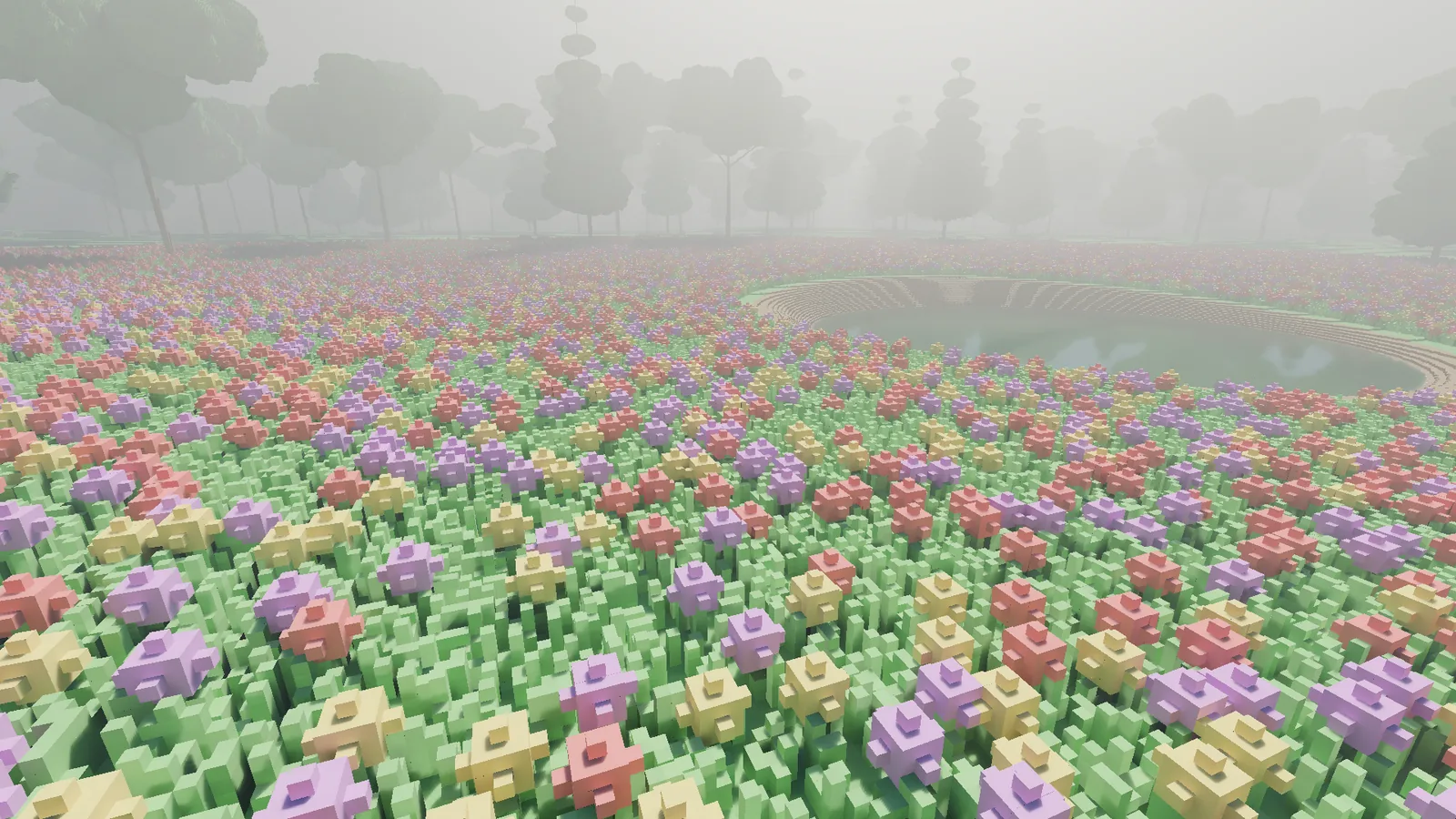
The test world is that forest glade: a flower meadow around a pond, a few lone trees, and a ring of a little over two hundred trees closing it in.
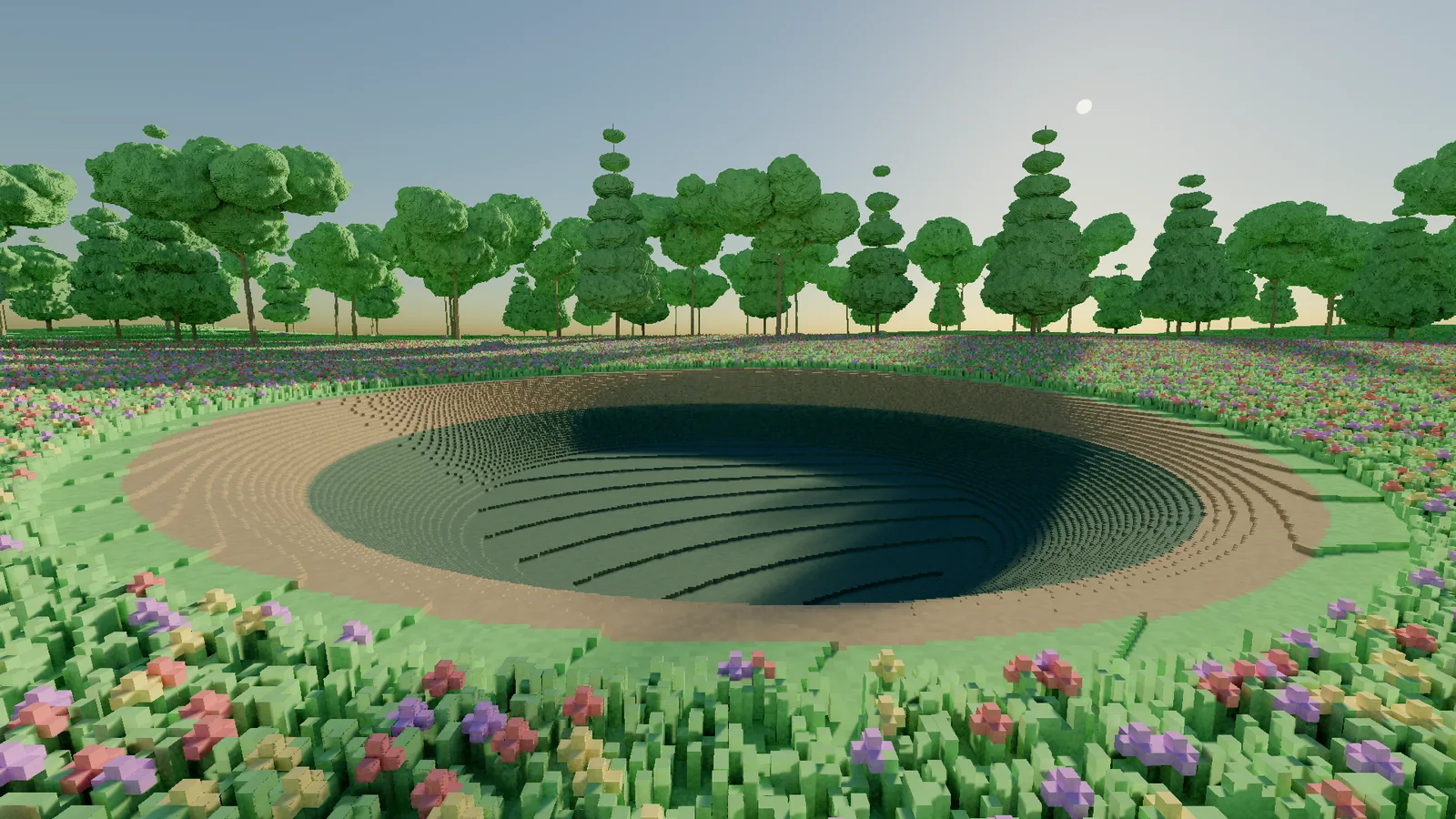
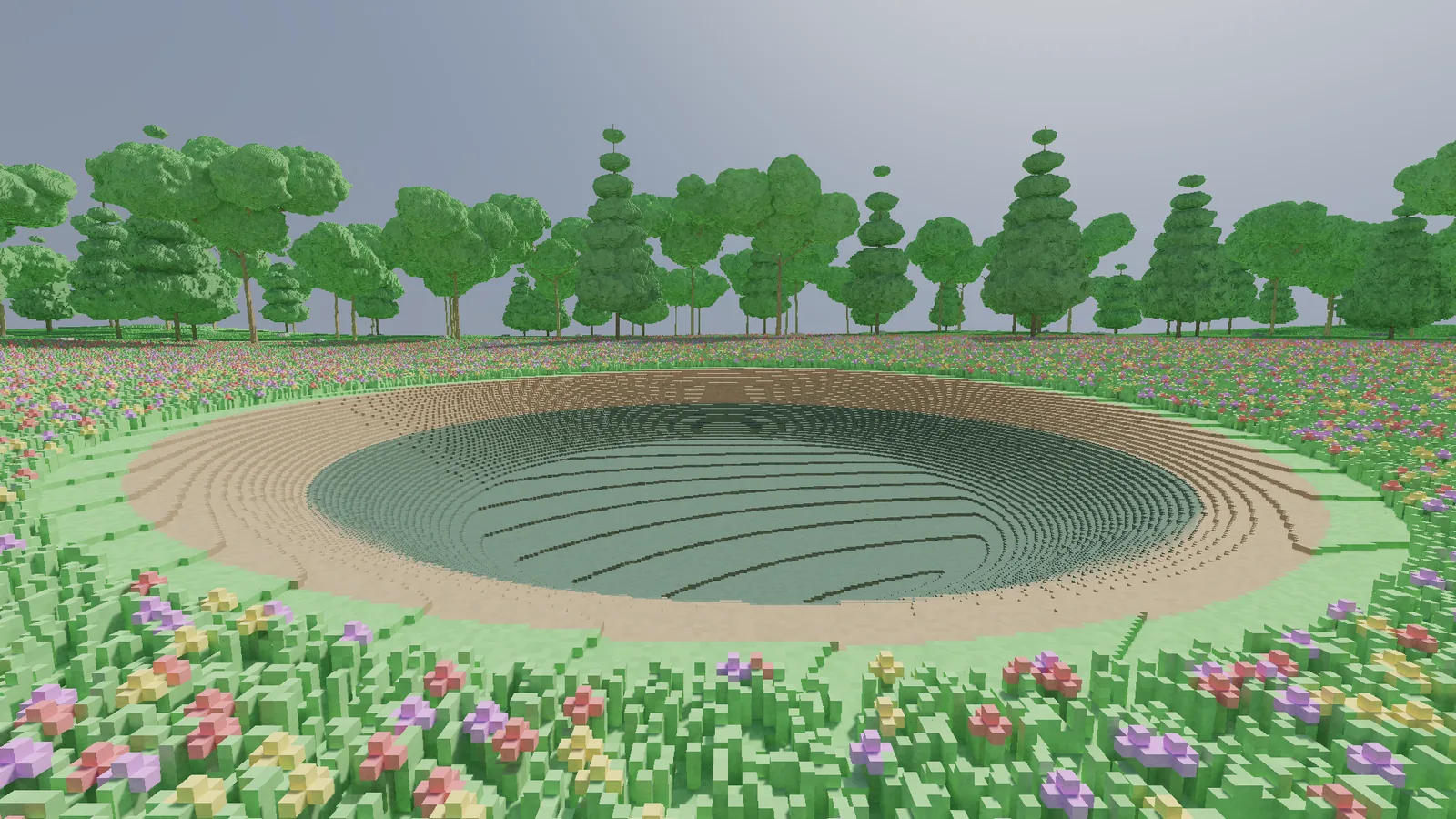
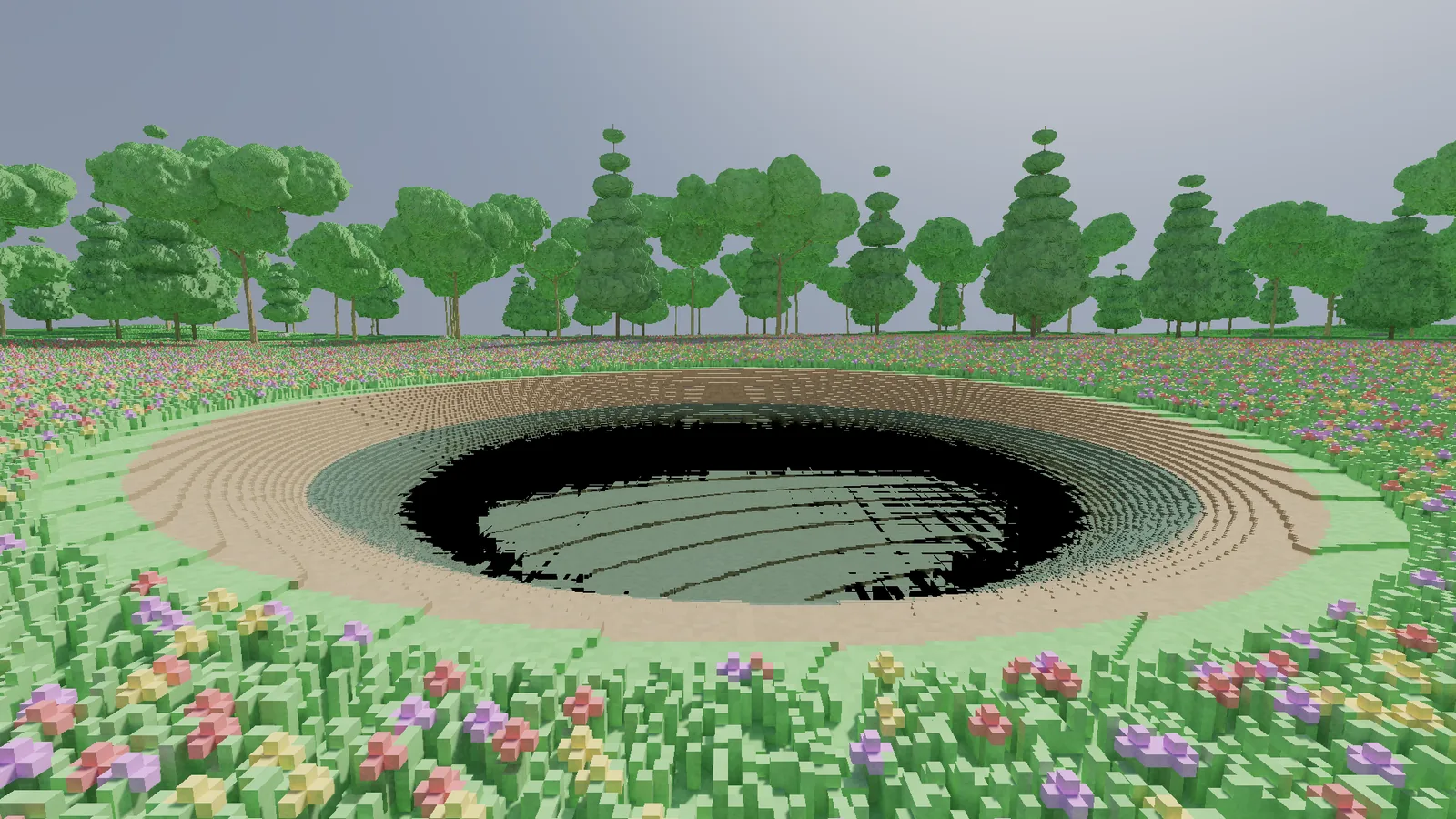
It did not start out pretty. The first conifers looked like stacks of green dinner plates. The broadleaf crowns were smooth blobs, like someone had described a tree over the phone. The meadow was so densely flowered it read as carpet. And the pond, beyond its flat centre, rendered completely black. Each time a ray passing through the water crossed into a new brick, the water was reported again, and each report spent part of a fixed budget of steps. Deep in the pond the budget ran out before the ray ever reached the floor, and a ray that finds nothing comes back black. I fixed that one first. It is hard to judge the lighting of a scene with a hole to the void in the middle of it.
Light
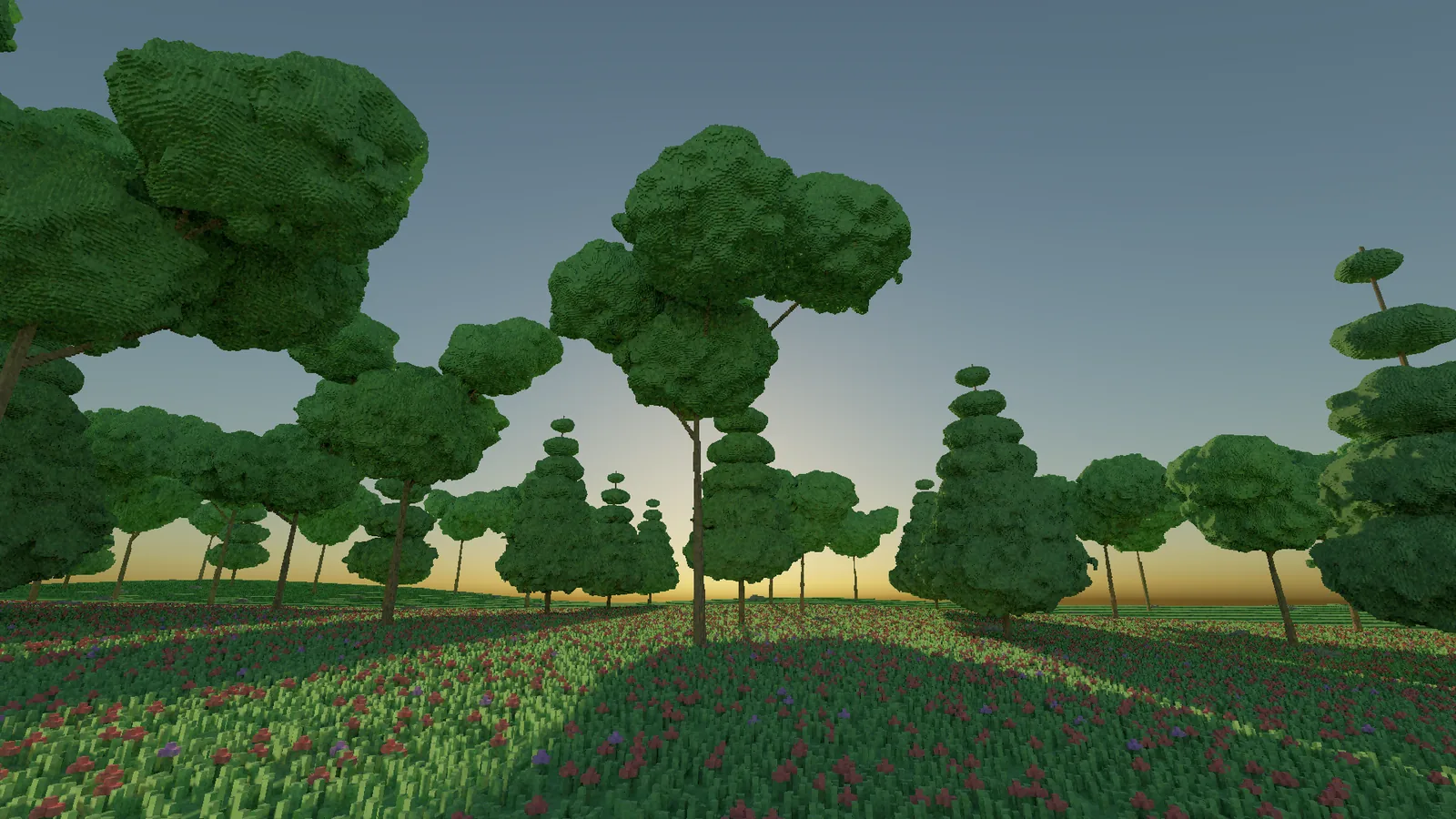
The sun and the sky are modelled physically, so the colour of the light comes from the model rather than from hand-tuned values. As the sun drops, the light warms up and the shadows stretch out on their own. Thin leaves and blades of grass let light through, so the meadow glows when the sun is behind it.
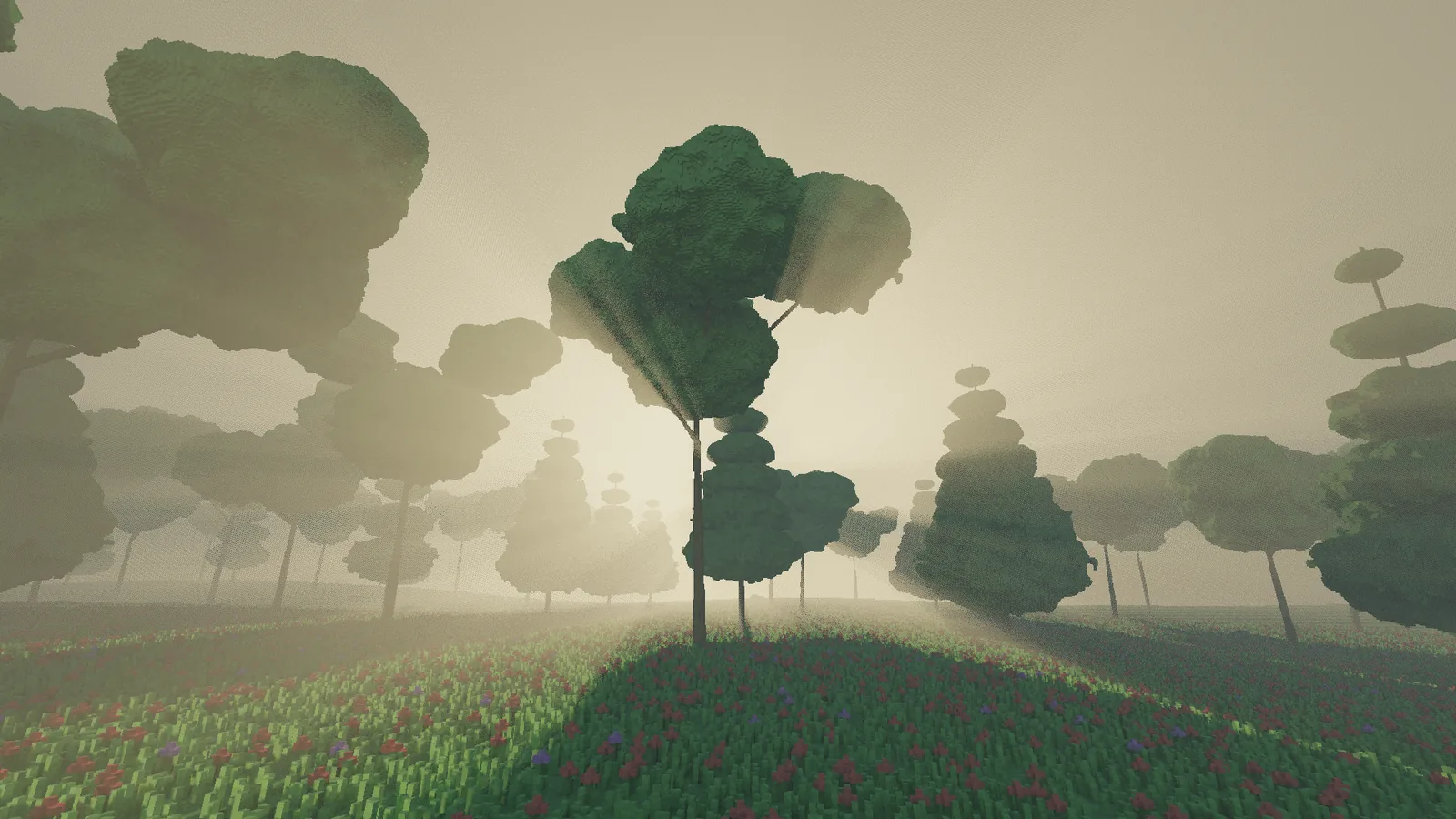
There is a thin haze in the air, and when the sun sits behind the treeline it catches the light between the crowns.
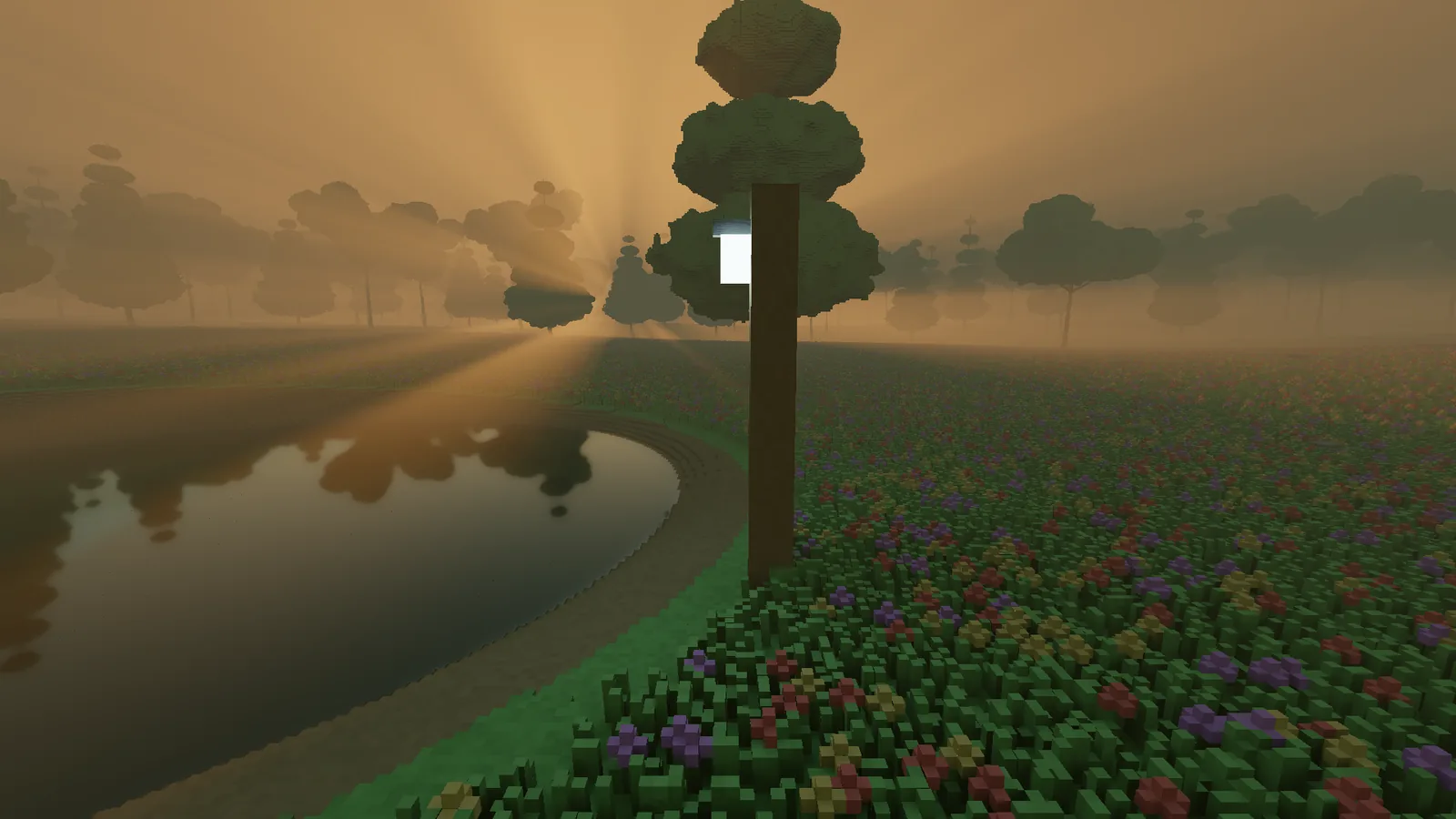
Anything that glows is a real light. The first lamp I placed glowed beautifully and lit precisely nothing around it, which is a very specific kind of disappointing. Now a lamp lights the grass under it, and it keeps working wherever you put it, including at the bottom of a hole you dug thirty seconds ago.
Water
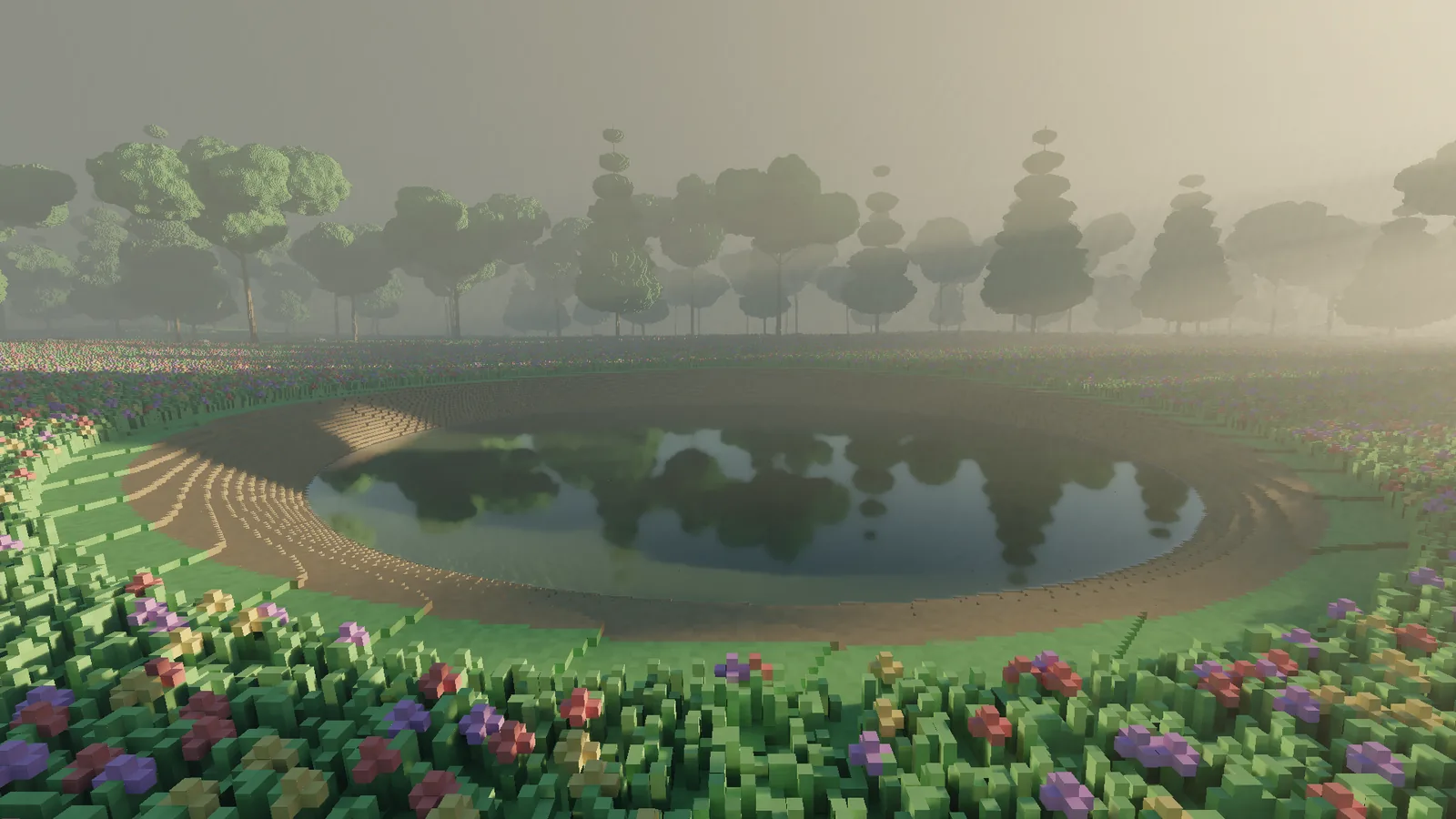
The pond refracts the floor beneath it, mirrors the trees across from it and blends the two the way real water does: more mirror at a shallow angle, more window when you look straight down. The cover image of this post is the pond at golden hour. Five centimetre terraces all the way down, because of course they are.
The meadow
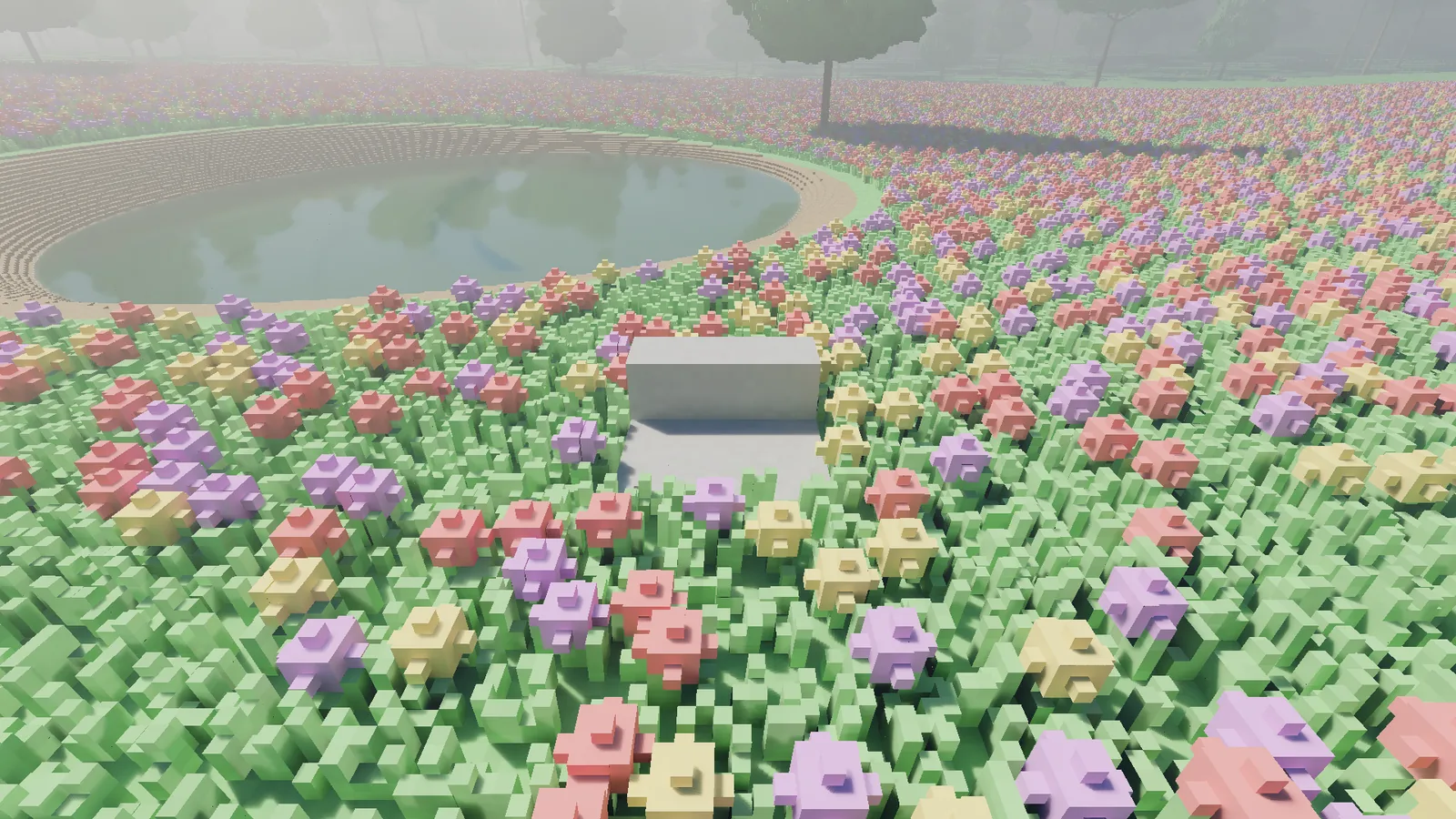
Up close, the meadow is blades of grass one voxel wide with flowers standing over them on thin stems. Every one of them is a voxel you can carve, and cutting a stem takes the whole flower with it rather than leaving a head floating in the air.
Building
You can edit the world while it runs. The brush carves, places or paints in a sphere, cube, cylinder or slab, from a single voxel up to a metre across. A ghost outline shows what the next click will do, and undo takes back a whole stroke. An edit costs the frame it lands in a few milliseconds.
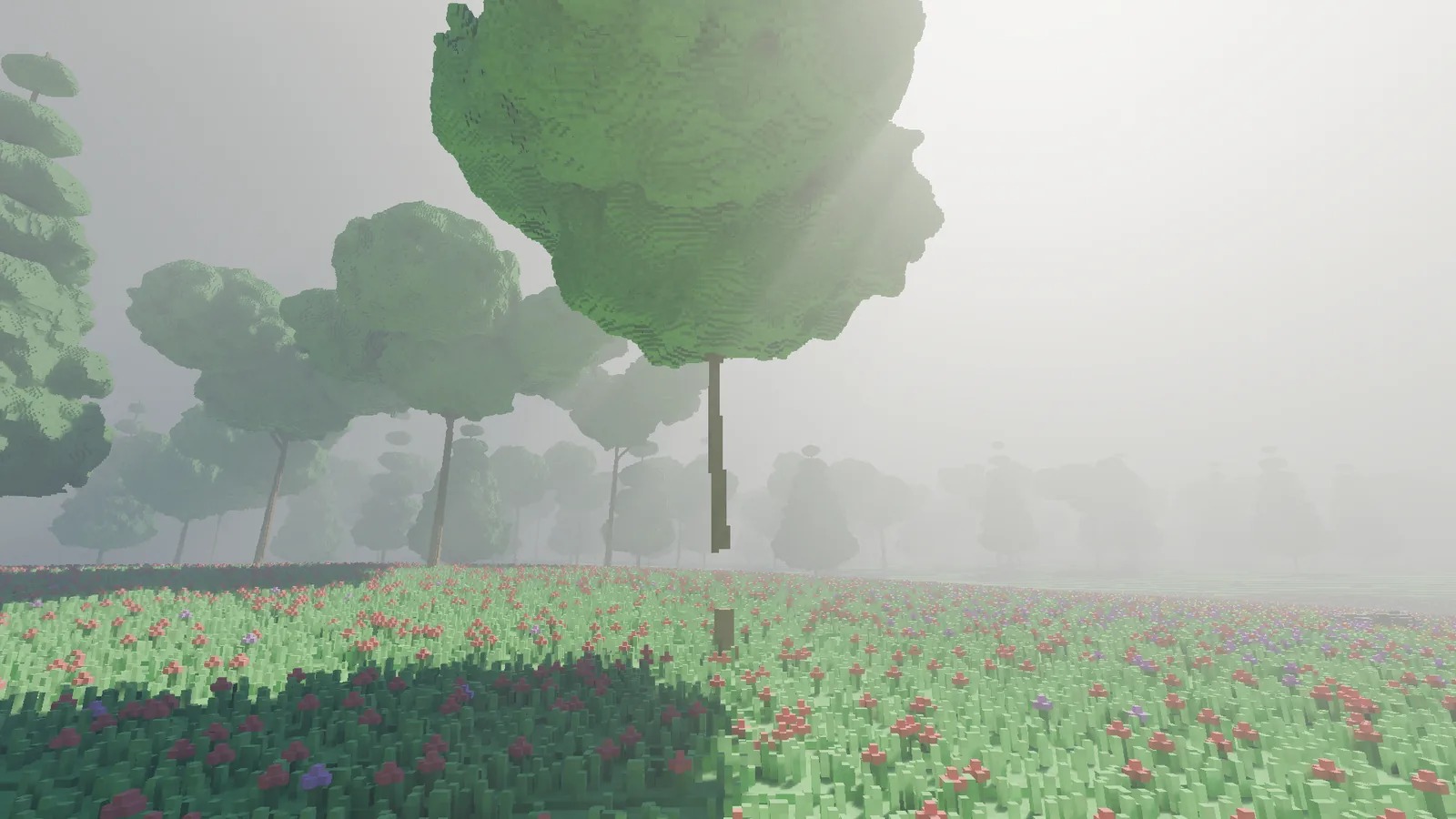
Edits change voxels, not physics: carve through the bottom of a tree trunk and the crown stays exactly where it was. Falling pieces and flowing water are on the roadmap.
Wind
Grass, flowers and leaves sway, and nothing else does. The ground and the trunks stay perfectly still. I checked: with the wind switched off, two frames rendered seconds apart come out identical to the byte.
What comes next
- Performance. At the time of writing, a frame at 1080p costs around 13 to 17 milliseconds on a high-end desktop GPU, depending on where you stand. The target is 16.6, a steady 60 frames per second, and the forest edge is over it.
- Materials. Textured building materials, and surfaces that shine.
- Motion. Water that flows, pieces that fall when cut loose, weather and creatures.
If you want to know how I can be so sure about all the numbers above, the next entry is about how I test a real-time renderer. Short answer: I trust the screen about as far as I can throw it.